
Shopify Appointment Booking App
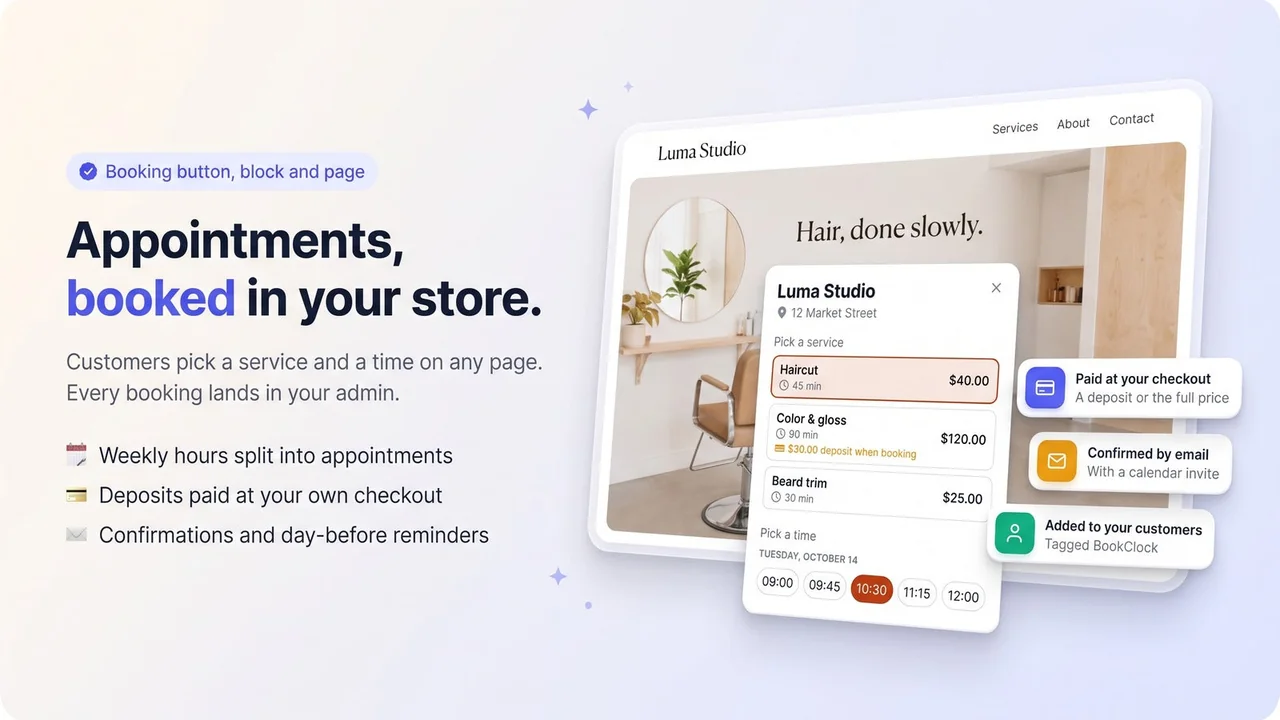
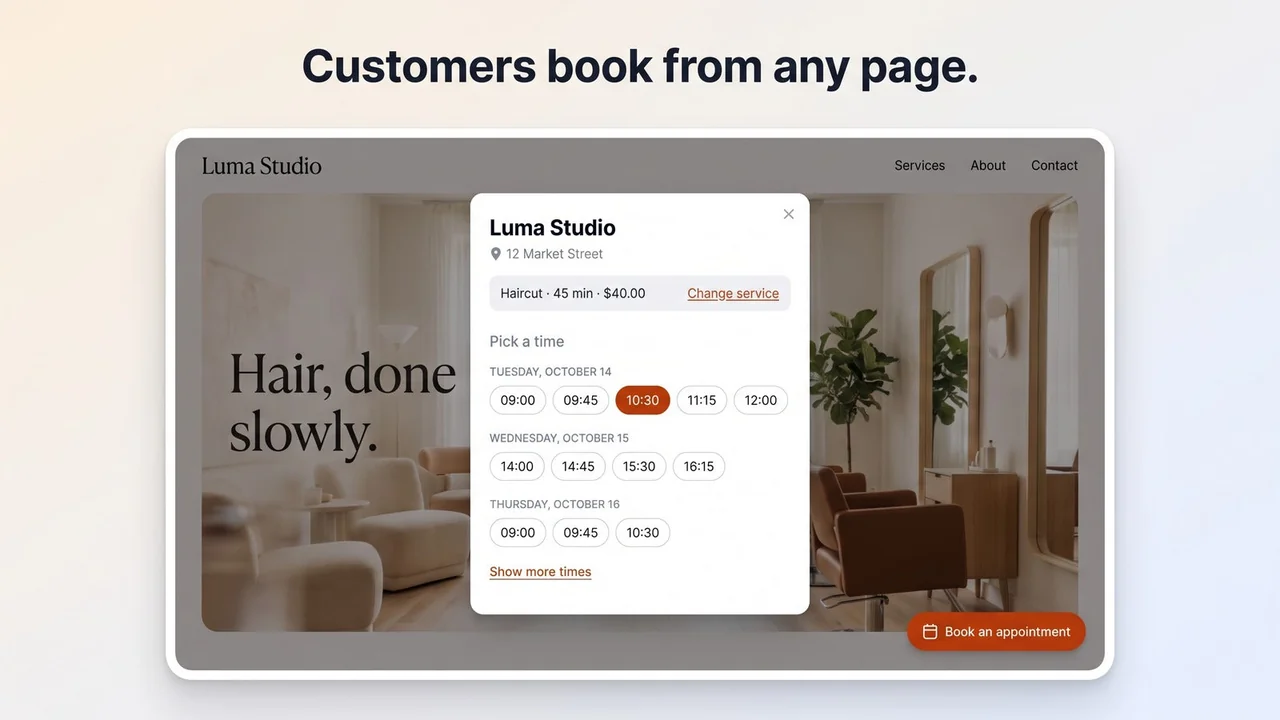
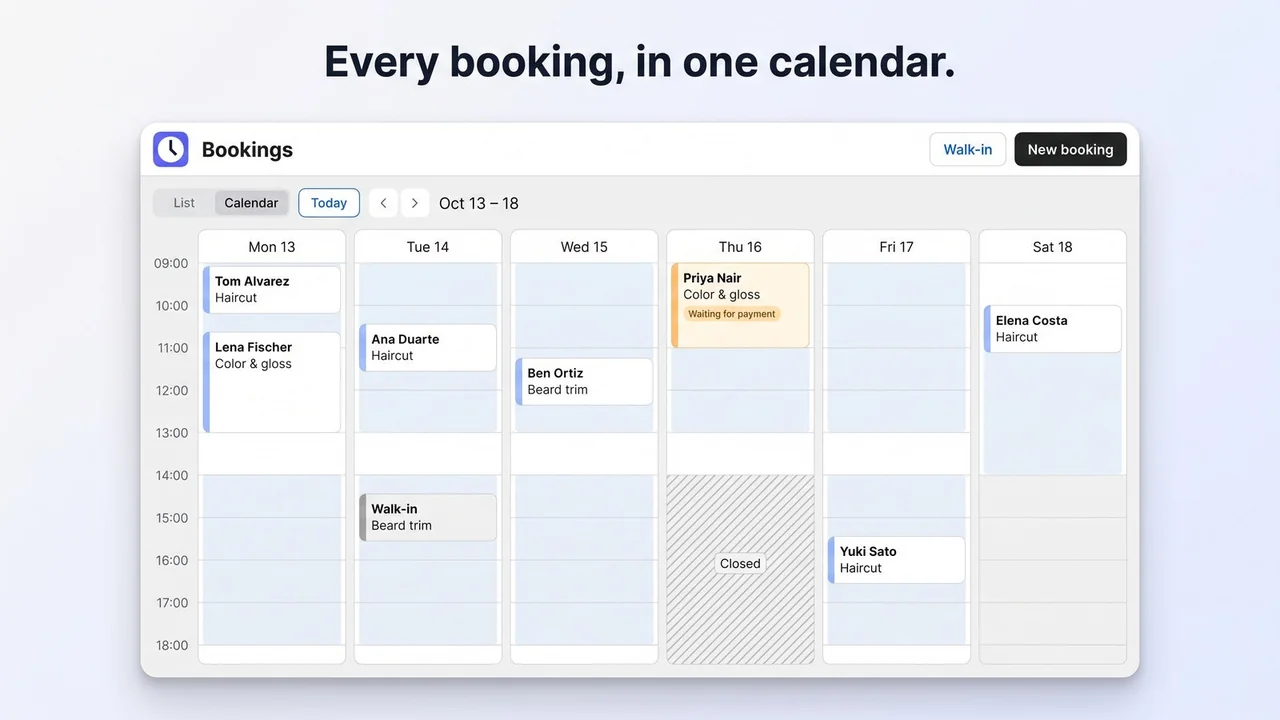
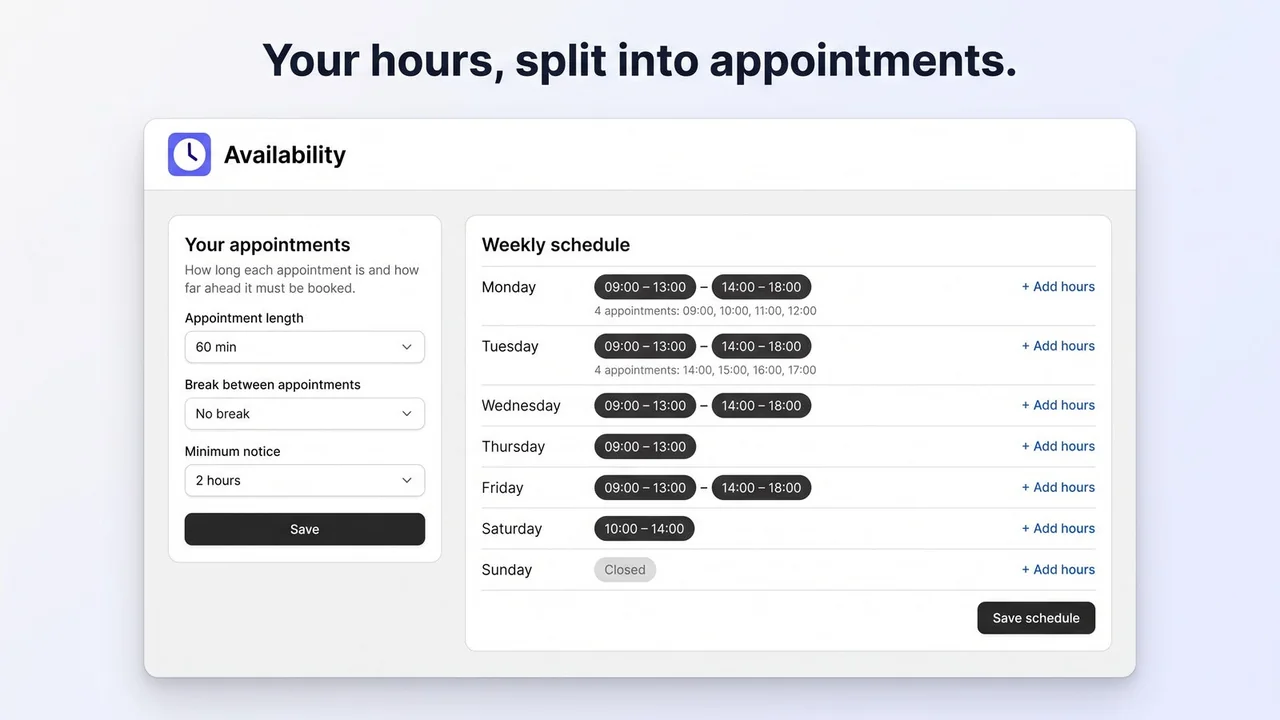
BookClock adds appointment booking to your Shopify store. Set your weekly hours and your services, then turn on the booking button, add the booking block to a page or link the ready-made booking page. Customers pick a service and a time and book with their name and email, with no account. For services you charge for, they pay a deposit or the full price in your own checkout. They get a confirmation with a calendar invite and a reminder the day before, and you see every booking in one calendar in your admin.
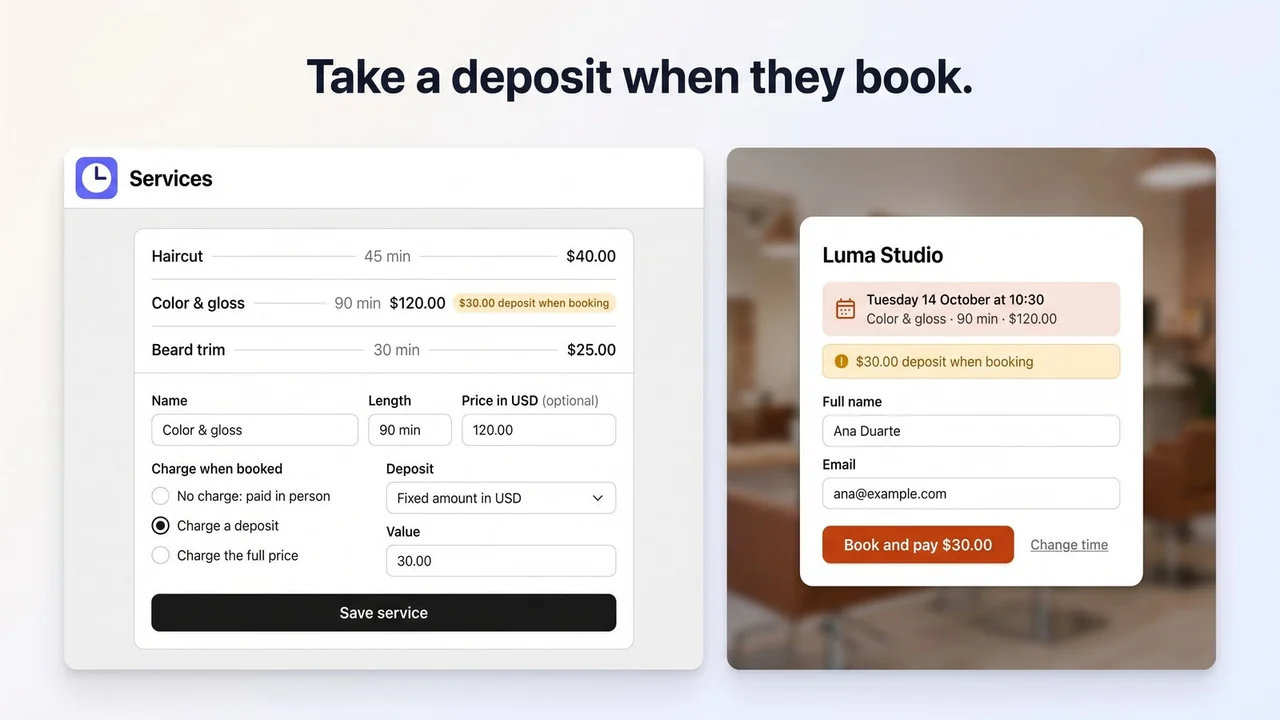
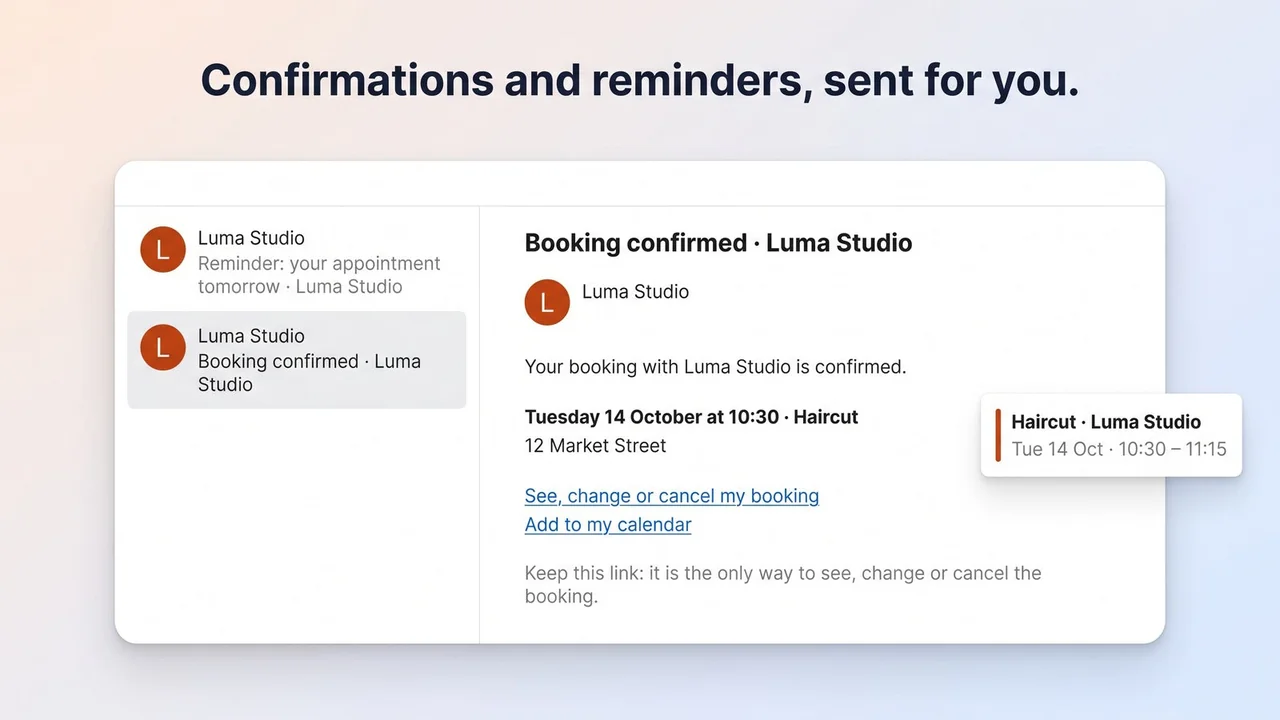
Key Features
- A booking button, a theme block and a booking page, with no code to edit
- Services with their own length and price, cut from your weekly hours
- Every booking in one calendar, plus walk-ins and phone bookings you add
- A deposit or the full price taken in your own checkout (Standard plan)
- Confirmation emails with a calendar invite and a reminder the day before
- Customers who book online are added to your Shopify customers
- In English and Spanish
Use BookClock from your AI
Connect it to Claude, ChatGPT, Claude Code, Cursor or VS Code: check the agenda, book, move or cancel appointments, close a day off, review deposit receipts and see no-show stats — with the same rules as your dashboard.
How It Works
Set Your Hours
Add your services with their length and price, and set your weekly hours. They are split into the times customers can book.
Add Booking
Turn on the booking button, add the booking block to a page or link the ready-made booking page. No code to edit.
Manage Bookings
Customers book and get a confirmation and a reminder. You see every booking in one calendar in your admin.
Why Choose BookClock: Appointment Booking
Frequently Asked Questions
Do customers need an account to book?
No. They pick a service and a time and book with their name and email. They get a confirmation with a calendar invite and a reminder the day before.
Can I take payment when they book?
Yes, on the Standard plan: a deposit or the full price is paid in your own Shopify checkout, and the time is held while they pay. Refunds are made from the order in Shopify.
Is there a free plan?
Yes. The Free plan has one service and 50 online bookings a month, with confirmations, reminders and the booking button, block and page. Standard adds unlimited services and bookings, payments at checkout and a calendar feed, with a 14-day free trial.
Ready to try BookClock: Appointment Booking?
Join thousands of Shopify merchants who trust DevCloud apps to grow their business.
Install on Shopify